Spectrum Tab
This tab displays the Power Spectral Density (PSD) and Signal to Noise Ratio (SNR) of the Spatial Filter 1 timeseries.
The buffer maintains a three-minute period (configurable in the "Advanced" tab) of data to calculate the PSD and SNR. The bossapp continuously updates the buffer as new data comes in (i.e. the buffer will always have the most recent three minutes of data). When "Update Spectrum" is pressed, the bossapp will calculate and display the PSD and SNR for the three-minute period of data in the buffer. The PSD and SNR plots do not automatically or continuously update. They only update when the "Update Spectrum" button is pressed.
Top Panel (Power Spectrum Density)
Power spectrum of each channel.
| Line style | Legend |
|---|---|
| Solid | Full spectrum |
| Dotted | Aperiodic component of the spectrum as determined using IRASA method |
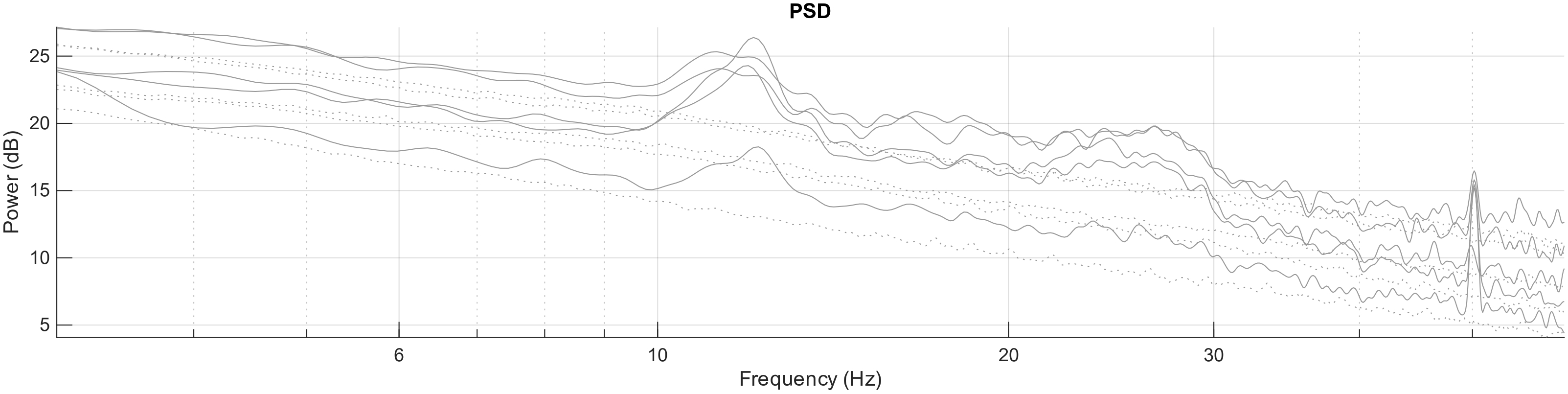
It's plotted on a log scale, where the aperiodic component should be a straight line, the full spectrum "rides on top" of that straight line. The periodic component of the spectrum can be determined by subtracting the aperiodic part from the full spectrum. We sometimes call this resulting spectrum signal to noise ratio and use units of decibels. The information in this panel helps detecting artifacts affecting a subset of channels.
Bottom Panel (Signal-to-Noise Ratio)
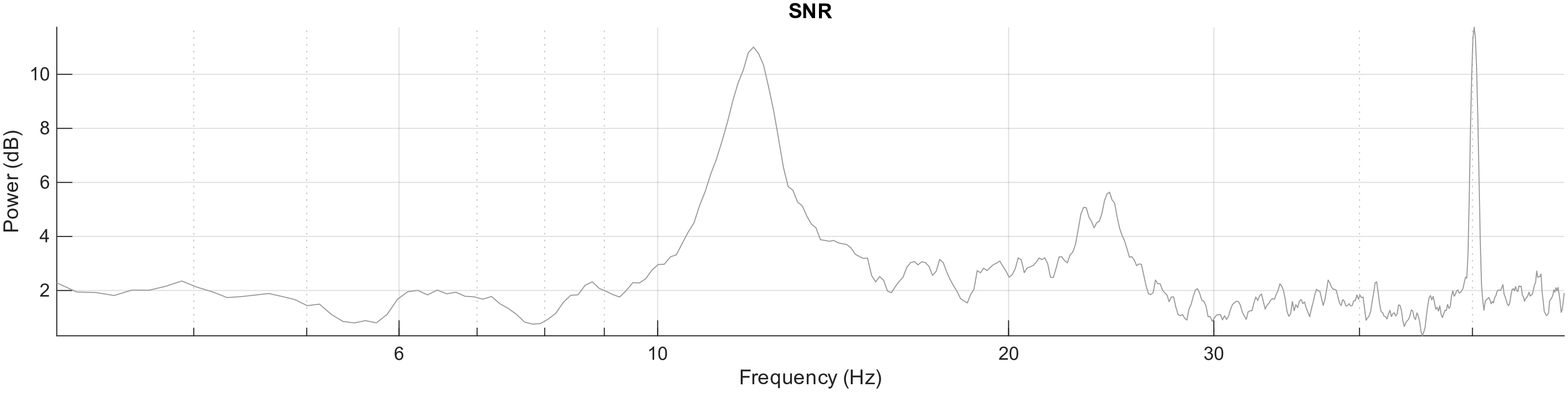
Shows the periodic part of the spectrum calculated from the spatially filtered signal. This is what the real-time algorithm analyzes. There should be a peak at the frequency of interest for phase detection.
Left Panel (Actions)
The "Clear Buffer" button empties the buffer. "Update Spectrum" cannot be pressed until a minimum data threshold is present in the buffer.
Notes
- If the EEG configuration is changed, the buffer should be cleared.
- The Spectrum Buffer and the Phase Estimation Accuracy Buffer are independent and clearing one will not clear the other.
The "Export Spectrum" button captures an image of the PSD and SNR plots and saves the image as a .pdf. This .pdf will be saved on your desktop.
The y-axes for both plots will auto-scale once PSD and SNR are computed.